In this entry, one of the four stock reverb plug-ins of the DAW Logic Pro X called ChromaVerb, will be presented. Reverb itself is one of the most commonly used spatial effects in the world, as it can simulate a particular space or environment and change the context of a sound in many different ways. ChromaVerb was chosen as according to the manufacturer, it differs from other digital reverbs. Therefore, how does it operate and what is its overall effect towards the sound?
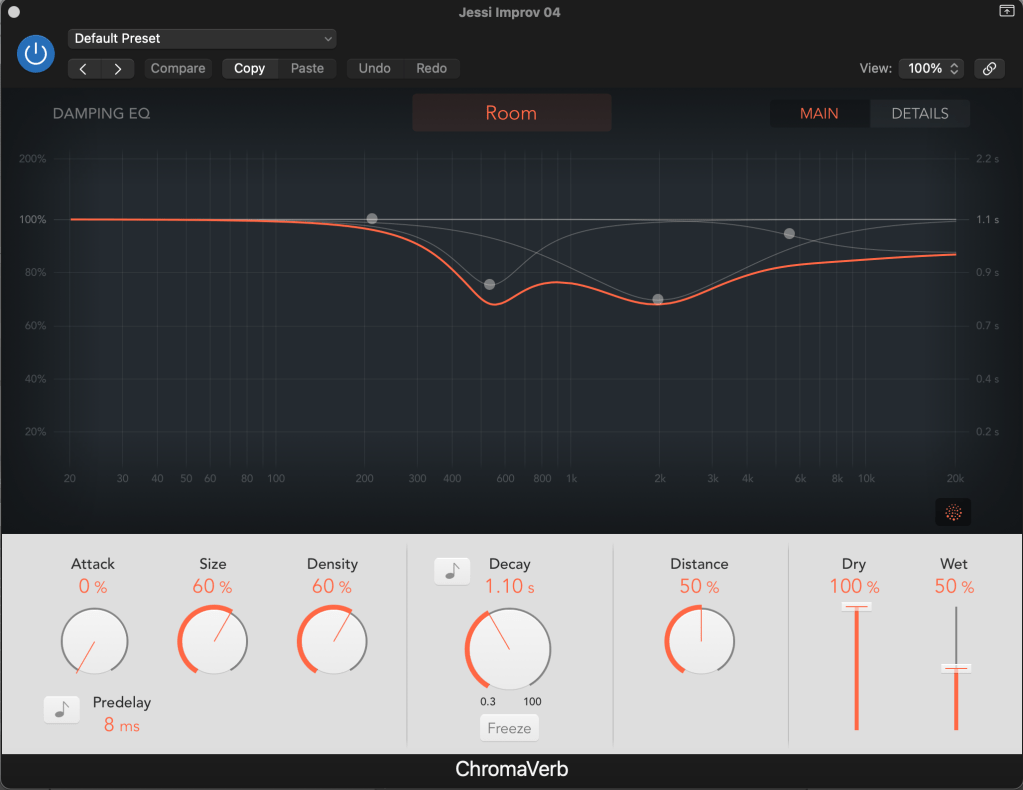
To begin with, it must be mentioned that this reverb is based around a circular structure, in which sound is moderately absorbed, and it contains 14 different room-type algorithms. If the user is not familiar with its interface, it still contains various presets, which can be used to demonstrate a different spatial effect for a particular sound (ie. simulate the way in which a space reflects sound). For example, it contains a selection of:
- Ambiences
- Chambers
- FX
- Halls
- Rooms
- Spaces
- Synth Reverbs
ChromaVerb’s interface contains many common controls which can be found in many other reverb plug-ins, like the attack, size, density, and decay. These parameters determine the way that the sound responds inside space, and most of them are affected by the room type selection (Figure 02).
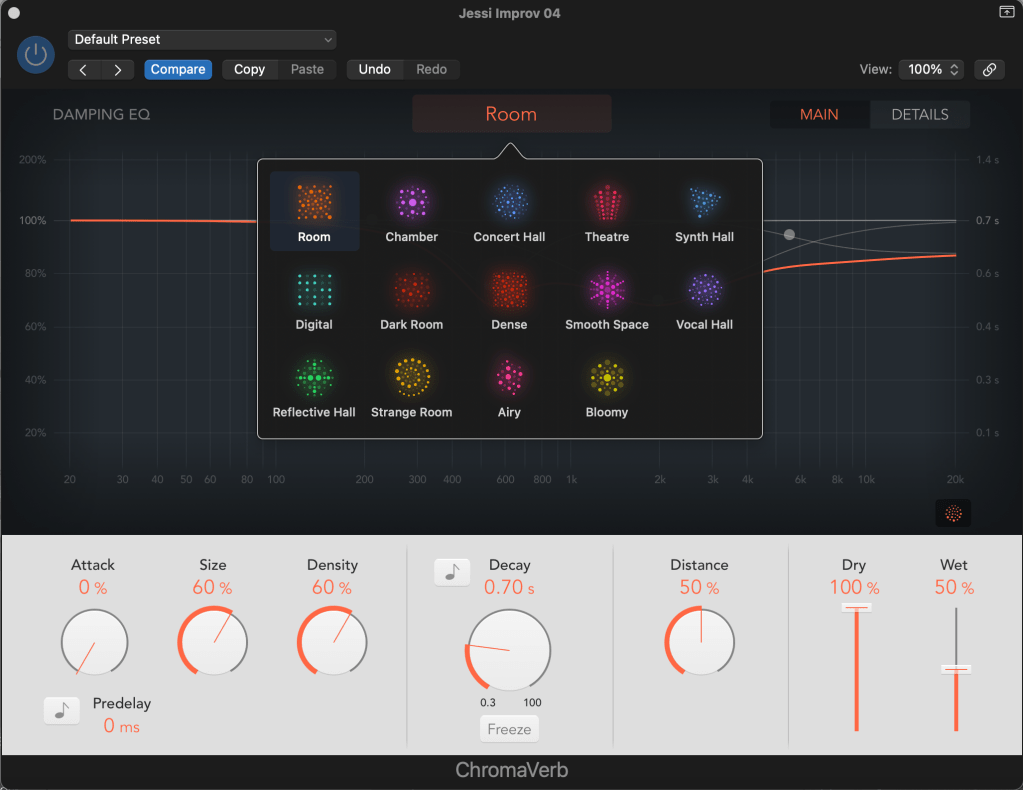
Attack: Determines how fast the overall effect kicks in, and affects either the volume over time, or the density build-up time (depends on the type of room).
Size: Controls the dimensions of a room, with bigger ones having a higher percentage of it.
Density: Refers to the adjustment of early and late reflections at the same time.
Decay: Affects the length of the decay and it is measured in seconds or time signature. The signal can also be recirculated infinitely by using the Freeze button next to the decay knob.
Distance: Used to portray the distance of the source.
Pre-delay: Adds early reflections to the signal.
Dry & Wet Faders: Adjust the output levels of the original and processed signal.
In simpler terms, the bottom end of the interface is utilized to “shape” the sound and structure its response inside a specific environment.
Furthermore, the user can also alter the decay’s frequency response by using the Damping EQ section. According to the manufacturer, it contains “four bands, with independent high and low shelving EQ bands, and two parametric EQ bands.” This tool is highly significant, as it enables for more precise and accurate adjustments of the decay, and provides a visual graphic representation in real time.
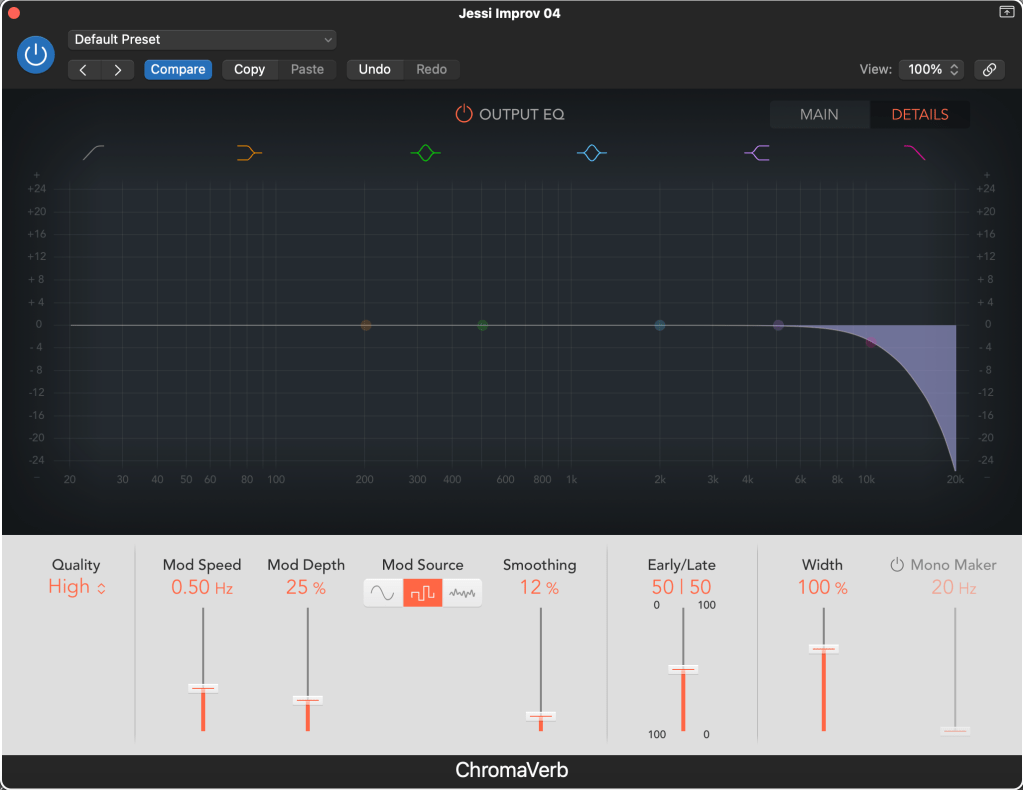
By clicking on the Details section at the top-right corner the Output EQ will appear, which moderates the combined signal with the use of a six-band equalizer (Figure 03). It is further accompanied by a new selection of controls, which can be used to change the reverb’s quality, stereo width, the speed/modulation/waveform/shape of the LFO, and remove a specific range of stereo frequencies (Mono Maker).
Tip: As previously mentioned, reverb can be used to affect the spatial image of a sound. Therefore, it is most commonly used with dry sources like vocals or snares. ChromaVerb contains a particular room type which adds great depth to the overall sound, called “Vocal Hall“. Insert ChromaVerb in a bus, and try this room type with a vocal!
Overall, ChromaVerb is a very useful spatial effect which can be used in any possible way to portray or enhance a sound’s characteristics inside different spaces. It is significant that the interface involves many different controls, as it enables the user to be more creative and consider different parameters, depending on the desired outcome. Additionally, people who don’t have access to appropriate designed spatial environments can utilize this particular audio effect and achieve high quality results.
Total words: 631
Name: Konstantinos Papanestoros
Date of Publication: 21 February 2024
Blog entry No. 03, as part of the Blog assessment of the Module “Spatial Audio Production” (MATT3017) of De Montfort University, Leicester.
Images: Konstantinos Papanestoros
Bibliography:
(No date) Logic pro effects. Available at: https://help.apple.com/pdf/logicpromac-effects/en_US/logic-pro-mac-effects-user-guide.pdf (Accessed: 20 February 2024).
 Konstantinos Papanestoros