Inside the DAW Logic Pro X, there is a very important tool for any sound designer, engineer, or editor who works with multichannel formats, which is the Surround Panner. So why is this particular tool important and how does it work?
At the beginning, the user must decide what the input format of the channel will be, and there are three choices. Mono, stereo, or surround. As the investigation focuses on the Surround Panner, the output of all channels will be Surround. In addition, a surround bus can be also utilized, if needed by the user. It must be noted that the output can be altered by the output of the last inserted plug-in, when in mono or stereo formats. In Figure 1, the input and output formats can be observed. Input 1 and Input 2 (separately) stand for mono, Input 1 + 2 stand for stereo, and Surround stands for a Surround channel.
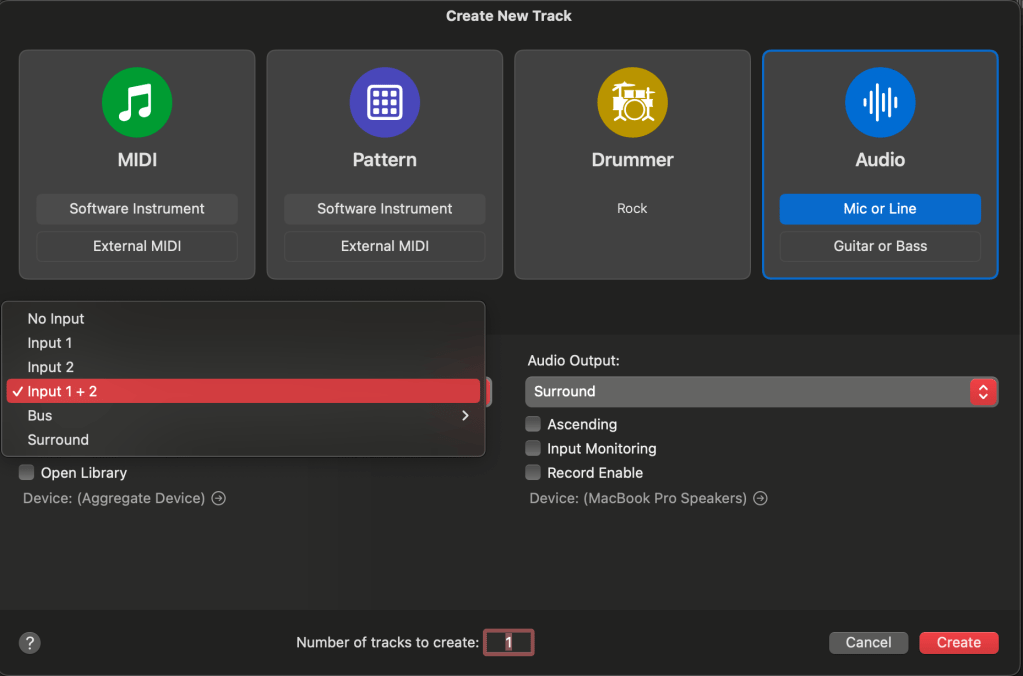
After creating the track(s), the user can access their windows individually and proceed to further adjustments. Mono and stereo formats use the Surround Panner, while the Surround format uses the Surround Balancer.
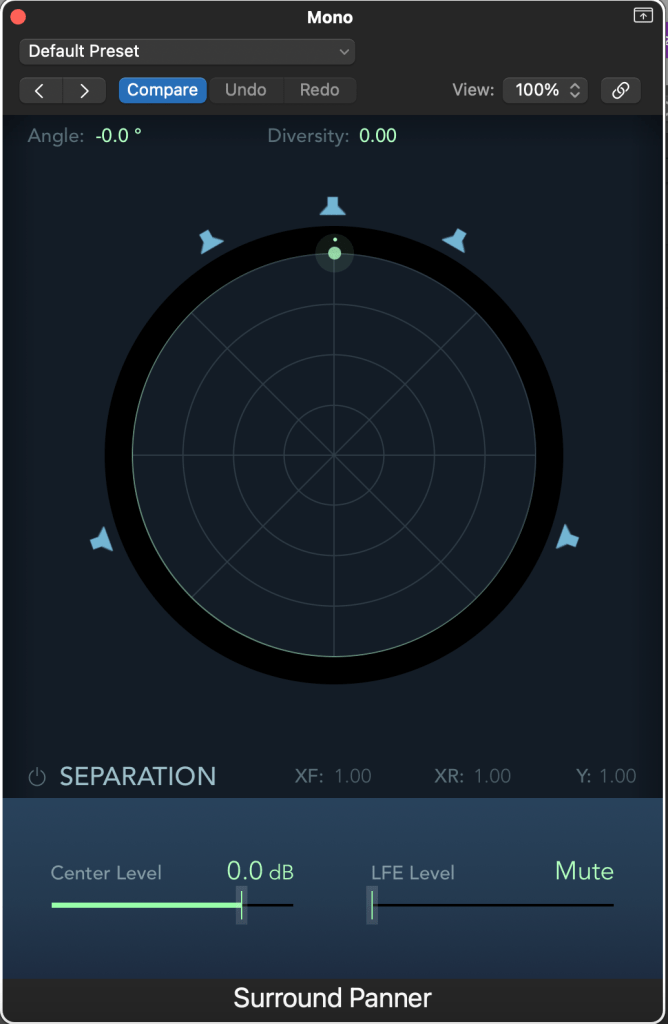
Mono
The mono format contains two main parameters, which are Angle and Diversity. Angle determines the surround output of the track, and diversity can make the sound wider (playback from more sources). The closer the pan puck (green dot) is to a speaker icon, the stronger the signal is. By clicking on a speaker icon, it basically mutes or unmutes a particular sound source. For example, if the diversity parameter is set to 1, then the sound will be played back from all sources (fully mono).
Furthermore, the bottom part of the panner includes more parameters which can assist the user to be able to better control and affect the overall sound (Separation: XF, XY, Y). These controls are not available for the surround channel. Basically, the signal gets mixed between the left and right channels located at the front (XF) and side (XY). The Y separation parameter mixes all signals together. The signal routed in the centre can be also be increased or reduced (in dB) with the Centre Level fader, and the LFE can boost the low frequencies of the signal (usually used with a subwoofer).
Stereo
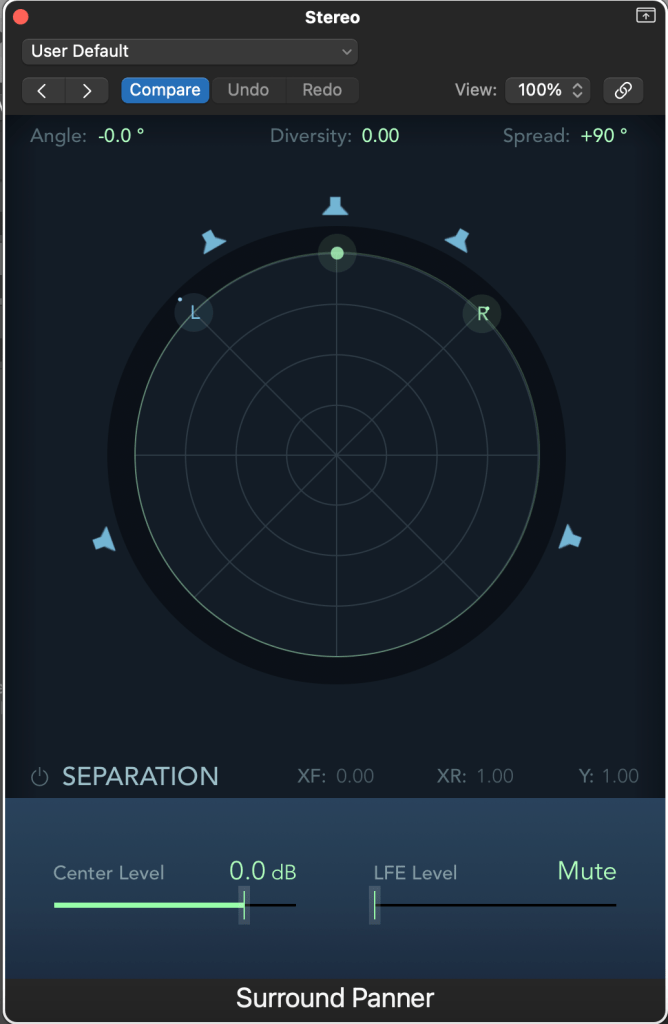
In a stereo – surround format, most of the parameters remain the same. But as now the user is working with two inputs (left and right), there is also a unique control added to it in order to control those channels. By using the Spread button located at the top – right end of the window, the user can affect the width of the sound. If the value of the Spread becomes negative, then the two channels swap, which can be a brilliant tool to be used with automation, for example (automation can be used both the Surround Panner/Balancer for all parameters).
Surround
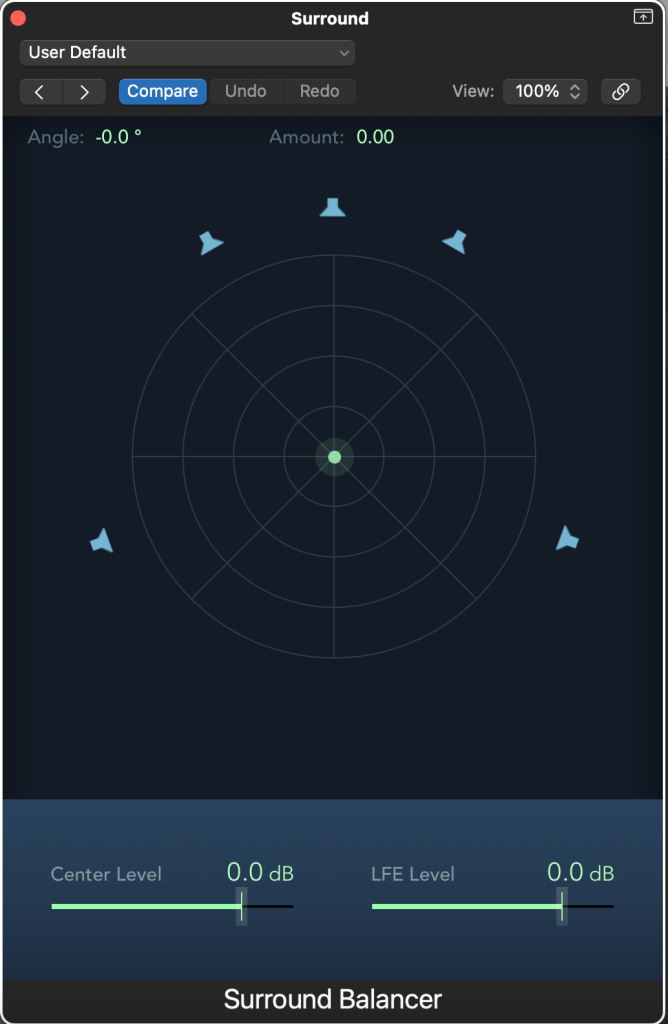
As it can be clearly observed in Figure 04, the Surround Balancer, used with the surround input format, differs from the mono and stereo surround panners. The Diversity parameter is replaced by the Amount parameter, which determines the focus of the surround output. Additionally, by moving towards a specific speaker, the output of other channels is decreased. The user can still change the center and LFE levels by using the two faders located at the bottom of the window.
Overall, the Surround Panner of Logic Pro X is a brilliant tool which can shape in complex ways the overall spatial image of a sound in a multi channel format, as the user can affect the output in many possible ways. Additionally, by adding different input formats there is a greater flexibility for the user, who can save significant time and work in a more professional manner.
Total words: 627
Name: Konstantinos Papanestoros
Date of Publication: 18 February 2024
Blog entry No. 01, as part of the Blog assessment of the Module “Spatial Audio Production” (MATT3017) of De Montfort University, Leicester.
Images: Konstantinos Papanestoros
Bibliography:
Surround panner parameters in Logic Pro for Mac (no date) Apple Support. Available at: https://support.apple.com/en-gb/guide/logicpro/lgcp7a500829/10.8/mac/13.5 (Accessed: 19 February 2024).

 Konstantinos Papanestoros